
A score from 0 to 100 for your month, with the math shown
The Financial Health Score sums up the month in one number and shows where it comes from. It is calculated on your iPhone, with no AI, using fixed rules you can check.
Free. The item-by-item breakdown is Pro


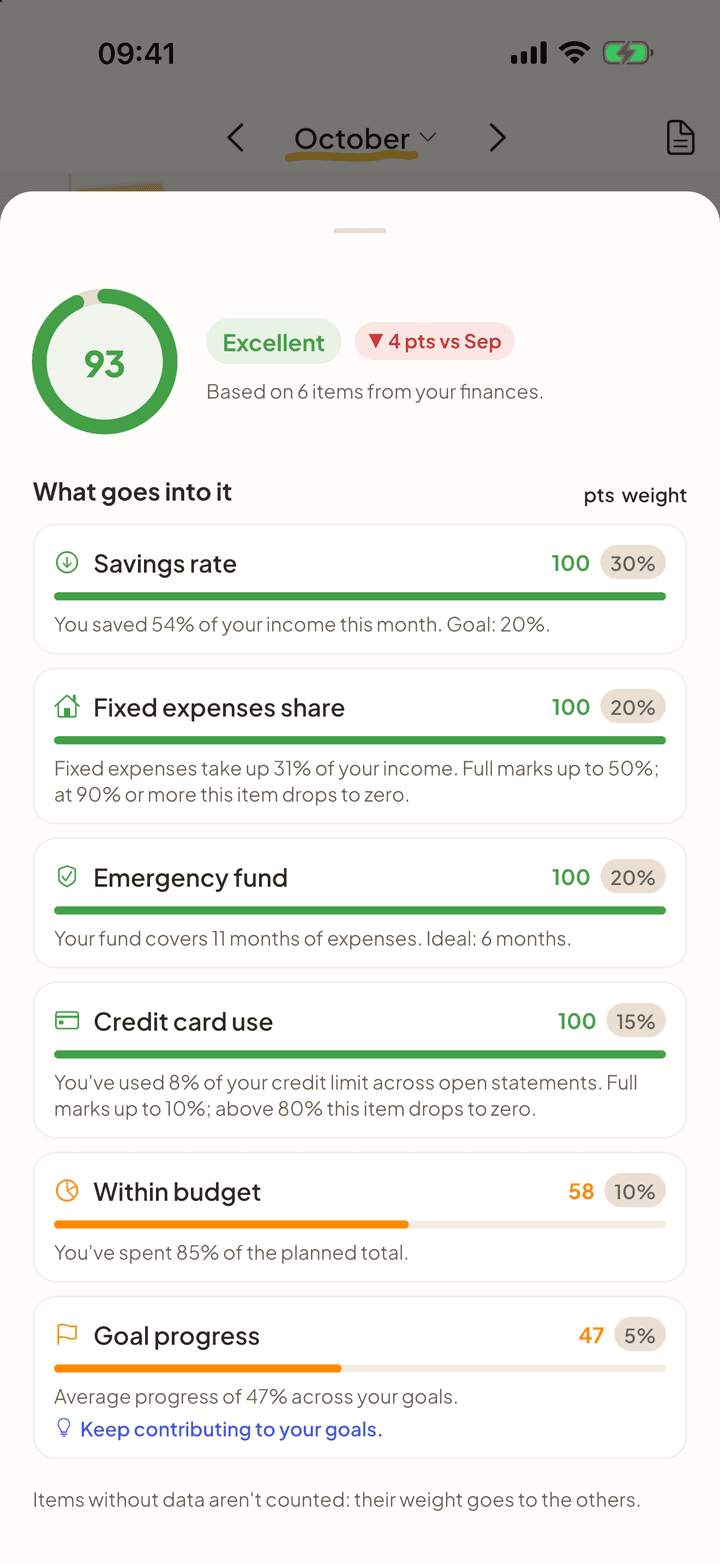
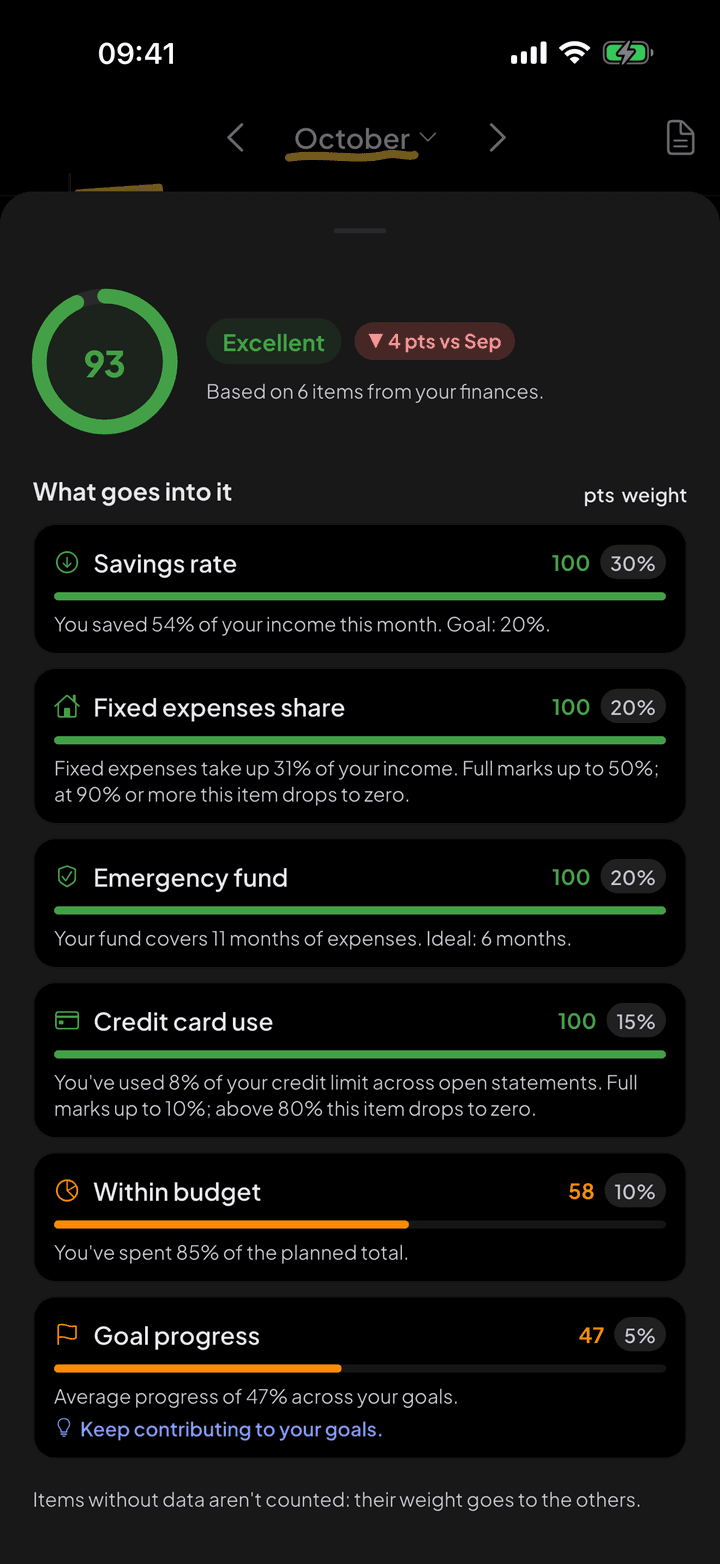
The six items and their weights
Each item gets a score from 0 to 100, and the final score is the weighted average. The limits below are the same ones used in the app.
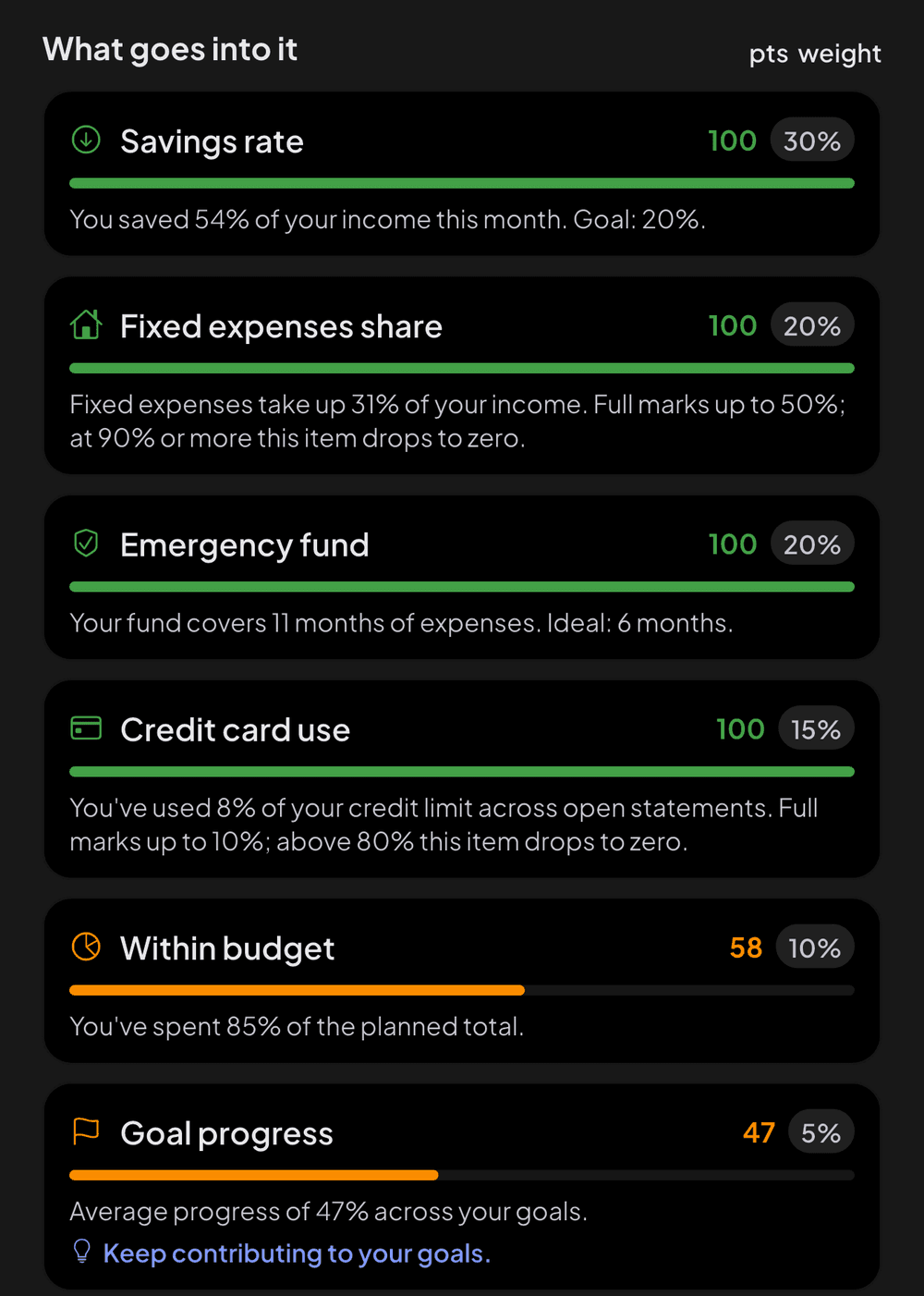
- Savings rate (30%): how much of your income was left over. Full marks from 20% saved.
- Fixed expenses share (20%): fixed expenses over income. Full marks up to 50%, zero from 90%.
- Emergency fund (20%): how many months of spending your balance covers. The goal is 6 months.
- Credit card use (15%): open statements over your credit limit. Full marks up to 10%, zero above 80%.
- Within budget (10%): how much you spent of what you planned, in categories with a budget.
- Goal progress (5%): the average progress of your goals.
Items with no data stay out of the math
If you have no credit card, you are not penalized for it: the item's weight goes to the others. And the score only appears when there is enough data for it to say something. A freshly installed app does not get a 100 for knowing nothing about you.
On screen
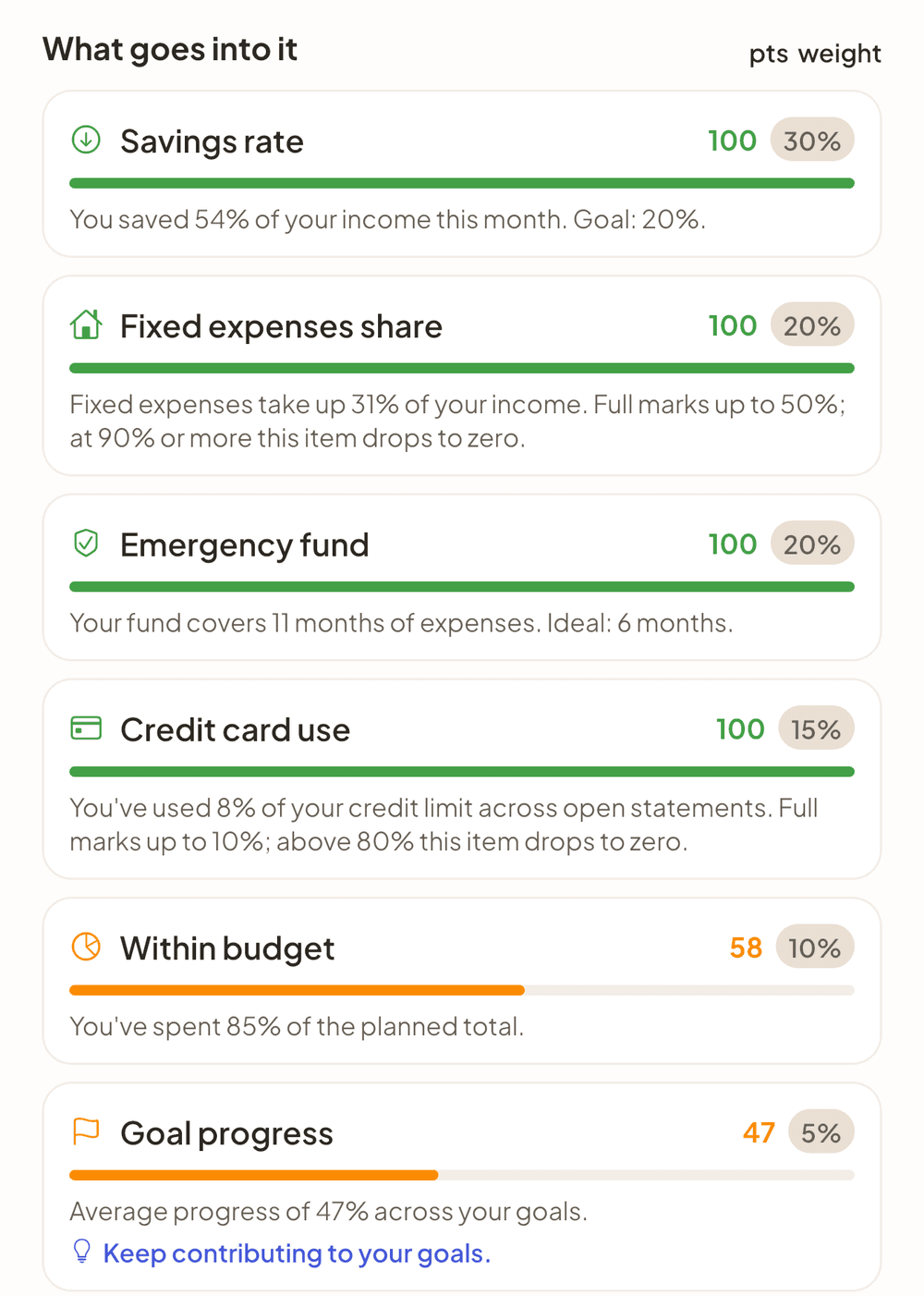
Each item with its score, its weight and the sentence that explains where the score comes from. 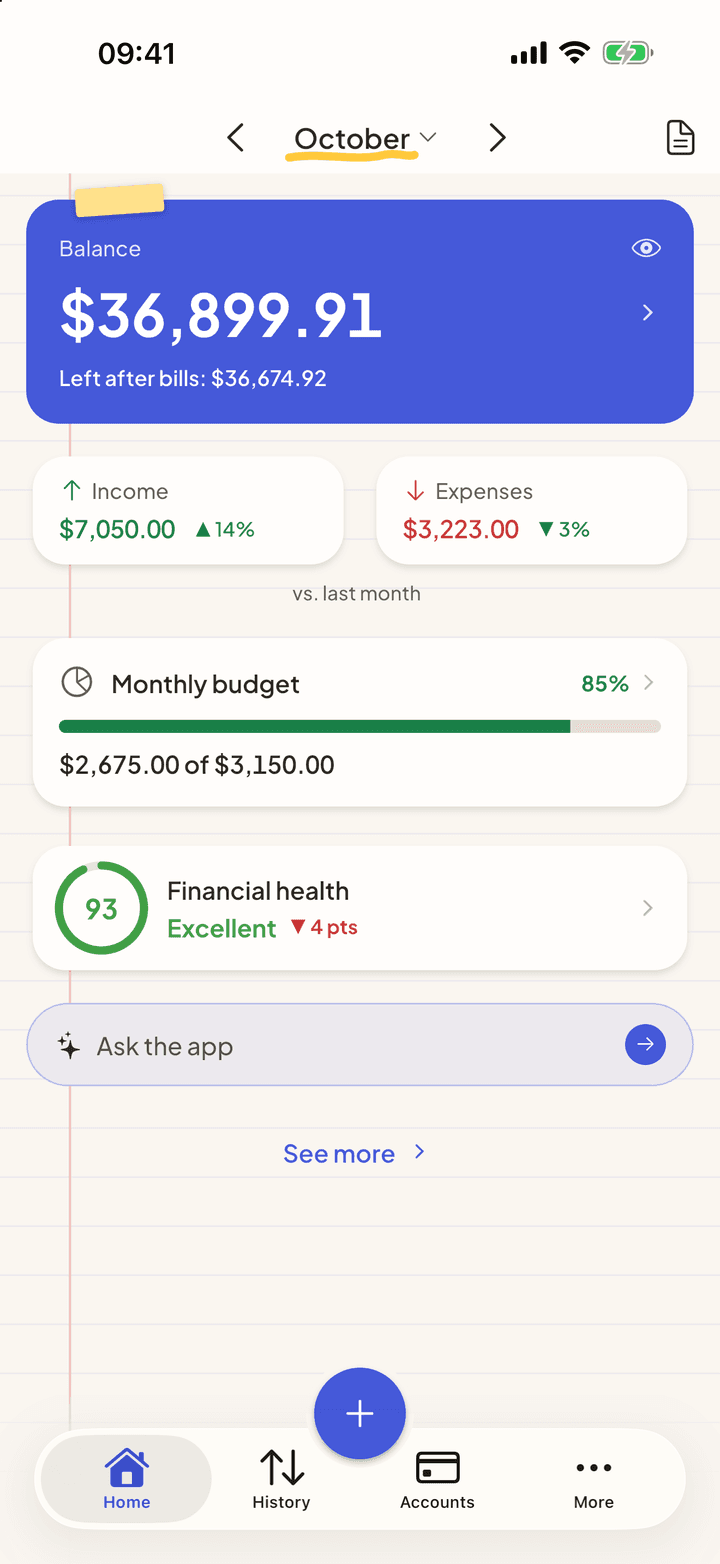
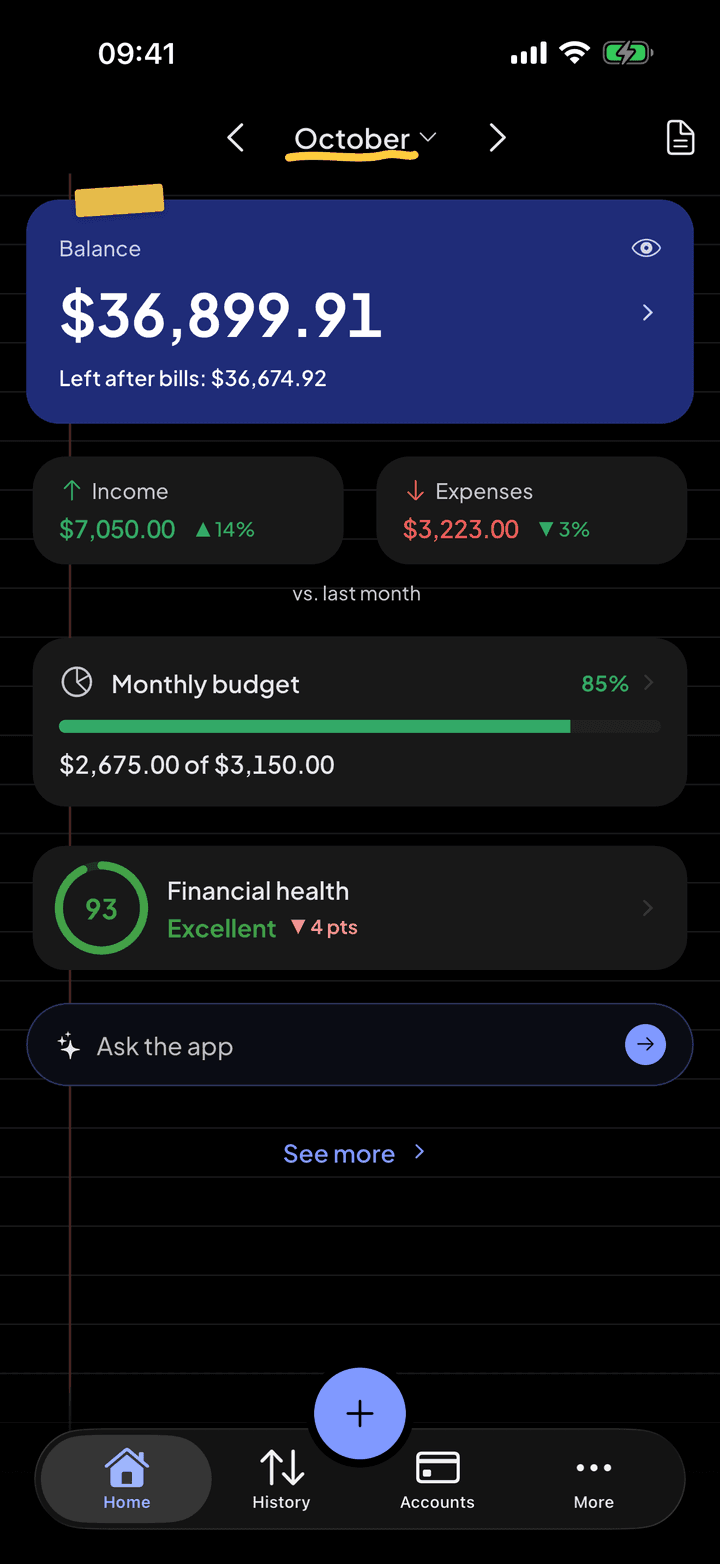
The score and the change from last month are on the home screen.
The emergency fund includes what is in your goals
Money set aside in a goal is still yours and still reachable. That is why it counts toward the emergency fund: saving money never lowers the score.
A trend, not just a snapshot
Next to the score you see the change from the previous month. With the Pro breakdown, you can see which item pushed the score up or down.
Questions
Is it the same as a credit score?
No. A credit score (FICO, VantageScore) measures the risk that you won't repay a debt and is calculated by outside companies. The Financial Health Score is yours: calculated on the device from your entries, and nobody outside has access to it.
How often does it update?
With every entry. If you log a big credit card purchase, the limit use and the score change right away.
Why did my score drop?
Almost always one of these: less of your income was left over, a new fixed expense (rent, a subscription) or a big credit card purchase. The Pro breakdown shows which one it was.
See also
Budgets and goals
Say how much you want to spend in each category and how much you want to save for each goal. The app tracks both and warns you before you go off plan.
Credit card and statement
Set the credit limit, the closing day and the due day. From then on, every purchase lands on the right statement, and installments show up in every month still to come.
AI assistant
Ask it your way, like you'd ask someone you trust. The assistant looks at what's in the app and answers with the figures from your month, without making up data and without trying to sell you anything.



Start with the next purchase.
Free on iPhone and Android. Pro is $3.99 a month, with a 7-day free trial.
Point your iPhone camera here.
Point your Android camera here.